
Video Downloader - Downloader
Simple Design Ltd.Video Players & Editors
4.74.31K Reviews
- Version
- 1.5.3
- Installs
- 100.00M
- Age Rating
- Teen
Screenshots
Our Review of Video Downloader - Downloader
 Analysis by Appyee
I usually reach for a video downloader when I know I’ll want to watch something later without relying on a connection: a long commute, a patchy signal, or a clip I need to revisit. Video Downloader - Downloader is aimed at that simple job. It is a free video-downloading app from Simple Design Ltd., in the video players and editors space, and its appeal is the short path from finding a video to keeping a copy on my device. The app is rated Teen, so it is not intended for young children, and it has a 4.7 average from around 590,000 ratings, with over 100 million installs.
Start with the source, not the download button
The most useful way to approach this kind of app is to decide first where the video is coming from and whether you are allowed to save it. A downloader can make a personal copy convenient, but it does not change the creator’s rights or a site’s rules. I would use it for material I own, public-domain content, or videos the publisher permits viewers to download. For subscription services or protected streams, the service’s own offline option is the better route.
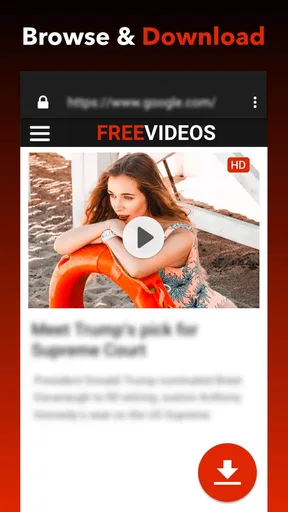
For a link-based workflow, I would copy the video address from the page and bring it into the app. If I am browsing for a clip rather than arriving with a link, the built-in browser can keep discovery and downloading in one place. That is a practical distinction: pasting a known address is usually the more direct route, while browsing inside the app saves switching between apps when I am still deciding what to keep.
Move from page to saved copy
Once I have a suitable source, the app’s straightforward layout makes the next step easy to understand. The basic idea is to open or paste the video page, select a downloadable option when one is available, and start the transfer. I would check the title and preview carefully before committing, especially if a page contains several clips or similarly named files. That small pause helps avoid filling storage with the wrong version.
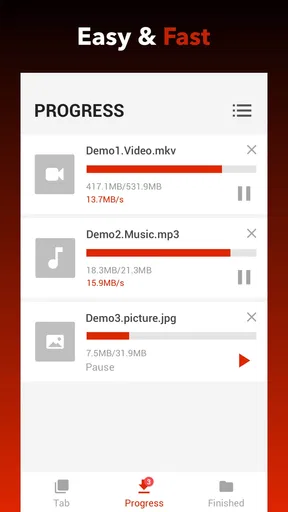
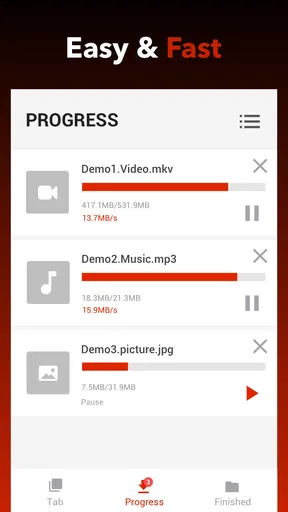
During a transfer, pause, resume, and cancel controls are useful when circumstances change. If I am about to leave Wi-Fi, for example, I can pause rather than let a large download consume mobile data, then continue when I am back on a suitable connection. I would also treat “fast” as a convenience, not a guarantee: the source site, network, and file size all affect how long a download takes.
There is a helpful trade-off in keeping the process inside one app. I spend less time passing links between a browser and a downloader, but I also need to pay attention to which page I am viewing and what file the app is offering. A quick check before starting is more reliable than assuming every button or video on a page refers to the clip I want.
What happens after the file arrives
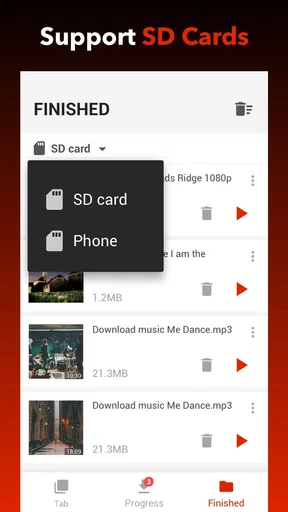
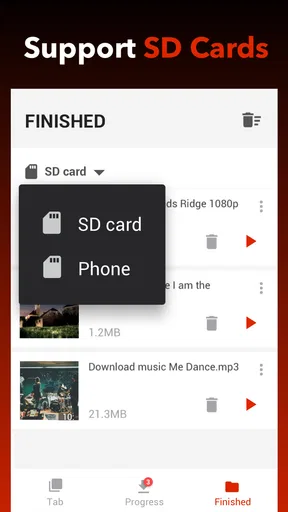
My practical test for any downloader is not only whether a file starts, but whether it is easy to find and watch afterwards. I would organize saved clips soon after downloading: remove duplicates, give files recognizable names when the app or device allows it, and keep only the videos I genuinely expect to use. This is especially helpful if I save several short clips in one session and later need to locate one quickly.
For an everyday example, imagine I find a tutorial while planning a repair and want to refer to it in a workshop with unreliable reception. I can use the app’s browser to locate the page, start the download while connected, and then check the saved copy before leaving. That final check matters: opening the file while still online confirms that the download completed and that I chose the intended video, rather than discovering a problem when I need it most.
Compared with a regular browser, a dedicated downloader puts download management closer to the video itself and offers pause, resume, and cancel controls. Compared with a streaming app’s offline mode, it can be more flexible for eligible web videos, but it is not a substitute for a service’s licensed offline library. A browser is enough if I only watch online; a service’s own app is preferable when the content is protected or tied to a subscription.
Where the workflow can stumble
The main limitation is that a video being visible on a webpage does not mean it can necessarily be saved through a third-party downloader. Some sites restrict downloads, and a page may contain several media elements that make the right choice less obvious. If the app cannot identify a usable video, I would not keep retrying blindly; I would use an authorized download option from the publisher or watch through the original service instead.
Storage is another practical constraint. Offline copies can accumulate unnoticed, particularly when I save high-resolution material or forget that I already have a clip. Before a trip, I would review available space and remove videos I no longer need. I would also download on Wi-Fi when possible, then confirm that the files are accessible without a connection. That routine is more dependable than assuming a download is ready just because the progress indicator reached the end.
The app is a good fit for people who often save permitted web videos and want uncomplicated controls. It is less suitable if you mainly watch content inside subscription platforms, expect every site to work, or want a full video-editing suite; its focus is downloading, not producing or editing footage. If you prefer minimal storage use and always have reliable internet, streaming in the original browser or app may be simpler.
Simple, Yet Powerful Features
First off, the app's interface is as straightforward as it gets. You don't need a degree in rocket science to figure it out. Just paste the video link, and boom—you're good to go. Video Downloader - Downloader supports a wide range of websites, which means you can download videos from almost anywhere on the internet. Talk about versatility!
Now, let’s talk about download speed. Nobody likes waiting around, right? This app doesn’t disappoint. It’s got a fast download engine that gets the job done in no time. I was genuinely impressed with how quickly it fetched videos, even those in HD. It’s a huge plus for those of us who are a little impatient!
User Experience: A Breeze
Ease of use is where this app truly shines. The developers have kept things simple and intuitive. You’ve got a clean interface that doesn’t bombard you with unnecessary features. It's like they knew exactly what we needed and delivered just that. You can also manage your downloads effortlessly, with options to pause, resume, or cancel as you see fit.
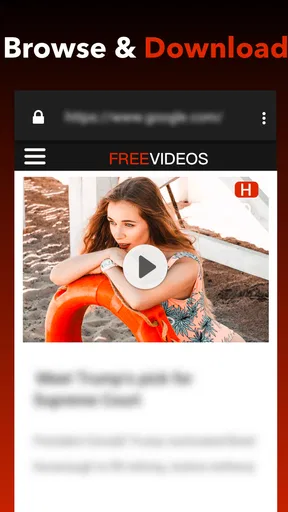
One feature I particularly enjoyed is the built-in browser. It allows you to search for videos directly within the app, eliminating the need to switch between your browser and the app. It’s these little things that make using the app a delightful experience.
Compatibility and Quality
I tested out the app on both Android and iOS, and it runs smoothly on both platforms. This cross-platform compatibility is super handy if you’re like me and switch between devices. The quality of the downloaded videos is top-notch, maintaining the original resolution and sound quality. No more pixelated videos or distorted audio!
And if you’re worried about file formats, fret not. The app supports multiple formats, ensuring your videos are compatible with any device you plan on watching them on. It’s all about convenience here.
Safety and Security
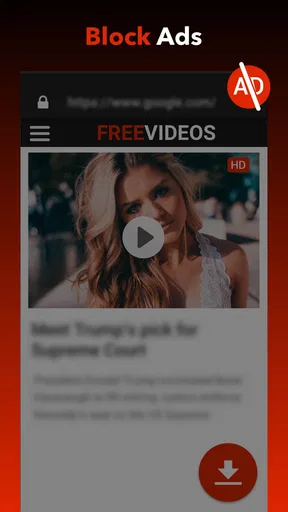
In today’s digital age, security is paramount. You’ll be pleased to know that the app is secure and doesn’t bombard you with ads or malicious software. It respects your privacy and keeps your data safe, which is a relief given the number of apps out there that aren’t as trustworthy.
Furthermore, the app doesn’t require you to sign up or share any personal information. This anonymity is a great feature for anyone concerned about online privacy. You can enjoy downloading your favorite videos without any strings attached.
Final Take
In conclusion, Video Downloader - Downloader is a fantastic tool for anyone looking to save videos effortlessly. Its user-friendly design, fast download speeds, and high compatibility make it a must-have app. Whether you’re downloading videos for offline enjoyment during a commute or archiving them for future reference, this app handles it all with ease.
If you’re ready to take the plunge and start downloading videos like a pro, you can find the app available for download on both Android and iOS platforms. Happy downloading!
Verdict
Strengths of Video Downloader - Downloader
- User-friendly interface for easy navigation.
- Supports multiple formats for downloads.
- Fast download speeds enhance usability.
- Allows batch downloading of videos.
- Built-in browser for direct video access.
Limitations of Video Downloader - Downloader
- Contains ads that can disrupt usage.
- Some features require in-app purchases.
- Limited support for certain websites.
- Occasional download failures reported.
- Requires permissions that may concern users.
Other Releases by Simple Design Ltd.
View All
Fonts Keyboard Themes & Emoji
Personalization4.7

Image to PDF - PDF Maker
Productivity4.9

Document Reader - PDF Editor
Productivity4.7

PDF Reader - PDF Editor
Productivity4.6
Similar Picks in This Category
View All
Google TV
Google LLC3.9

iTunes
Apple4.7

YouTube
Google LLC3.8

MX Player
Amazon Mobile LLC4.2

CapCut - Video Editor
Bytedance Pte. Ltd.3.5

PLAYit-All in One Video Player
PLAYIT TECHNOLOGY PTE. LTD.4.5
Frequently Asked Questions
What platforms does Video Downloader - Downloader support?
Video Downloader - Downloader is available for both Android and iOS devices. Ensure your device meets the minimum OS requirements specified in the app store to ensure full compatibility and optimal performance. For Android, it typically supports OS version 5.0 and up, while iOS devices need to be running iOS 11 or later.
Is Video Downloader - Downloader free to use?
Yes, Video Downloader - Downloader offers a free version with basic features. However, some advanced functionalities or ad-free experiences may require in-app purchases or a subscription. Always check the app store listing for detailed information on pricing and available features before downloading.
Can Video Downloader - Downloader download from all websites?
Video Downloader - Downloader supports a wide range of websites, but not all. It’s designed to work with popular platforms and websites that allow downloads. Due to restrictions and policies, some sites may not be supported. Always ensure you're complying with legal guidelines when downloading content.
Is it safe to use Video Downloader - Downloader?
Video Downloader - Downloader is developed with user safety in mind, but as with any app, it's essential to download it from official app stores like Google Play or the Apple App Store to avoid security risks. Additionally, be cautious about the content you download to avoid copyright infringement or malicious files.
How do I troubleshoot common issues with Video Downloader - Downloader?
If you encounter issues with Video Downloader - Downloader, start by checking your internet connection, as this is crucial for downloading. Ensure the app is updated to the latest version, and check if the website you're downloading from is supported. If problems persist, consult the app's help section or contact customer support for assistance.
